Who is on the board and what their role lets them do, the rules that do the mechanical half of the work, and the credentials that let something outside a browser in.
Four tabs: General, Members, Rules and Errors. The three
below are the ones that change what other people — and other things — can do
here.
The role defines what each person can do — and which statuses they can move a
card into. That second half is the one worth reading twice: a role here is
not a label, it is the answer the board gives when somebody drags a card into
In production.
Iris and Otto are in this list with roles of their own. An
agent is a member, so the same table answers “what may this
agent do” without a second permission model to keep in step with the first.Invites are a link you hand over — Tylon builds it and does not send the email
itself.
The server is the authority. The interface hides what a role cannot do, and
hiding a button is convenience, never authorization — the same move made
through the API or the MCP server is refused the same way.
The mechanical half of the work: assign, label, prioritise, park, say
something. Each rule reads as one sentence — When … then … — and the
line under it says whether it has ever actually run.
When a promotion is refused — then mark it as waiting, add a labelWhen a label is added · security — then set the priorityWhen a card sits still for 3 days · In review — then write on the card
The third trigger is the one most boards cannot express. Sitting still is
not an event: nothing happened, and nothing happening for three days is
exactly the thing a review queue needs somebody to notice.
Anything that needs judgement is a single action — wake an agent —
because a rule that thinks is a rule nobody can predict. When a rule does
act, it acts as whoever wrote it, and the card’s story names the rule that
did it.
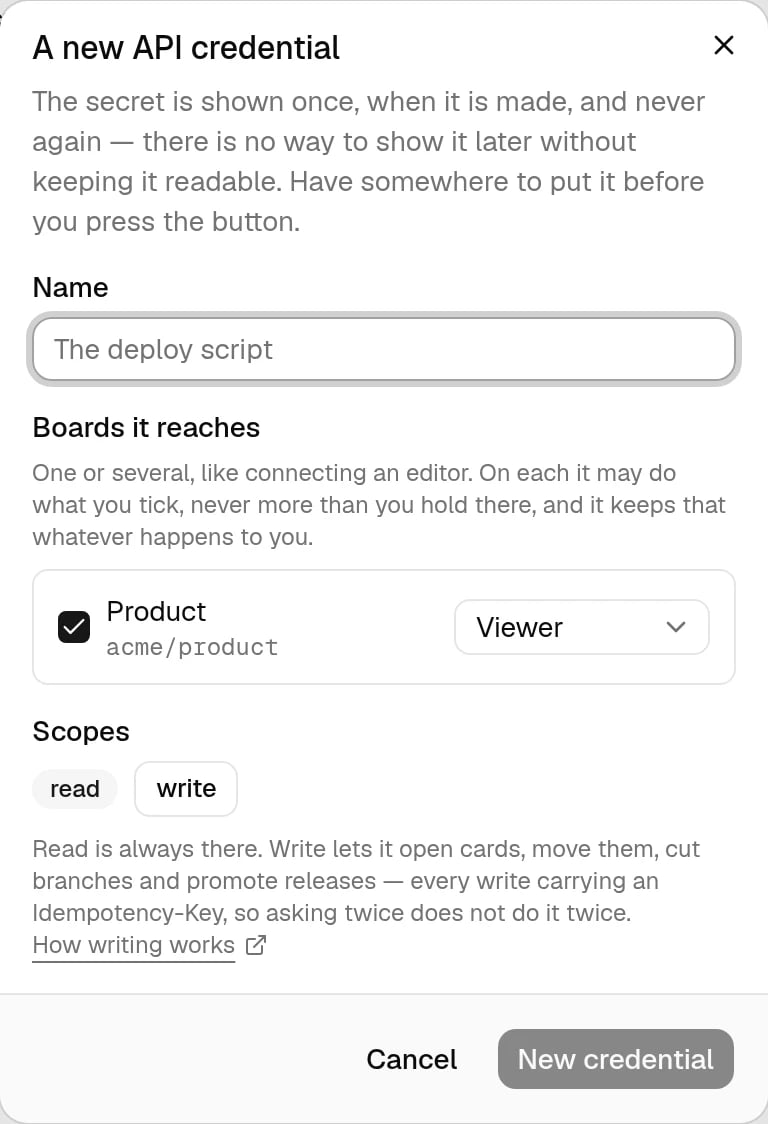
How something that is not a browser reads and writes here — a deploy script, a
status page, a spreadsheet. It brings a client id and a secret instead of a
person through a sign-in.
One or several, each with its own role, the same way you connect an editor.
On each board it may do what you ticked and never more than you hold there —
and it keeps that whatever later happens to you.
read is always there. write lets it open cards, move them, cut branches
and promote releases, every write carrying an Idempotency-Key.
The secret is shown once, when it is made. There is no way to show it
later without keeping it readable, so have somewhere to put it before you
press the button. To roll one over, make a second secret, move the integration
across, then revoke the old one — both are live in the meantime, so nothing
goes dark during the swap.
The API reference
What to send, which board a request lands on, and how writes stay safe to
retry.
⌘I
Assistant
Responses are generated using AI and may contain mistakes.